
My First Installtion for SharePoint Server 2013 Preview for Development environment. But i have few issue like similar to sharepoint 2010 Beta. show i would like to Share and hope you can also same time.
Per installation Check:
Hardware


Check Server Role

Developer will love to .net 4.5 feature in SharePoint 2013 so its Important :)
Runt SharePoint 2013 Perrequisiteinstaller.exe


Per-requisite Software has been installed and Configured
Run SharePoint 2013 Setup.exe


After the of Completion of basic installation
SharePoint Product Configuration started

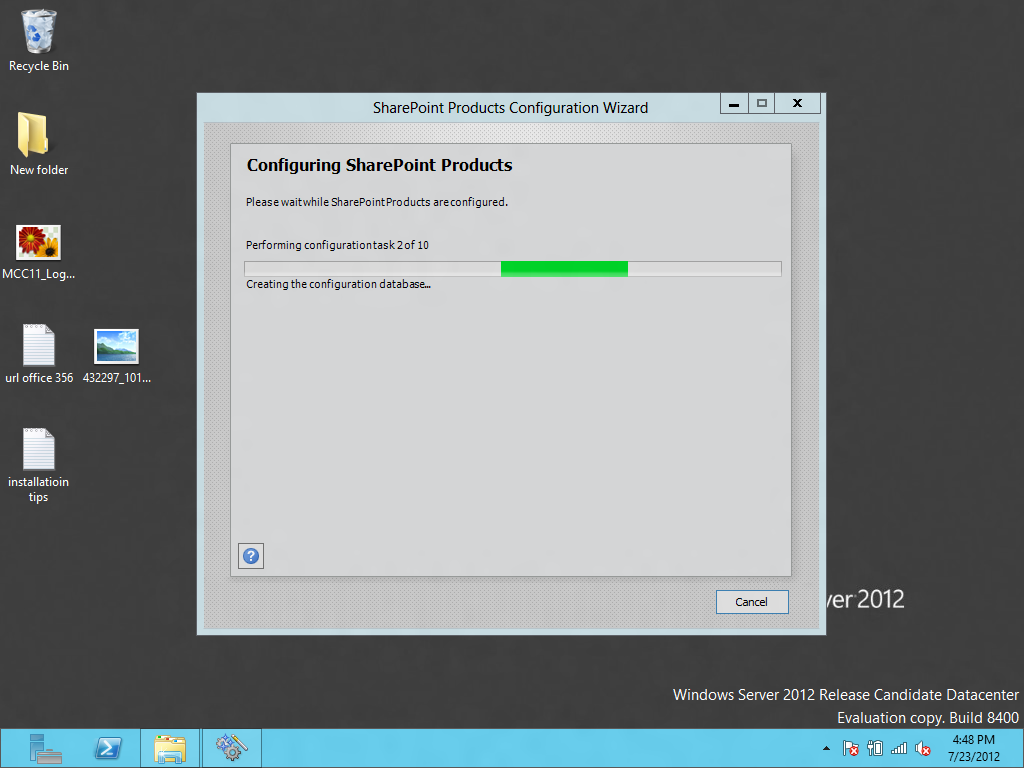

Chose New Server Option

If Configuration Failed on Creation and Configuration of database and Give Error some like that.

Failed to connect to the configuration database.
An exception of type System.Management.Automation.CmdletInvocationException was thrown. Additional exception information: ErrorCode:SubStatus:Service running under Network Service account in workgroup environment is not supported.
If you running Application without AD or Stand Alone might you will received that error.
Solution
Go to Sql Server Management Studio
>loacl/SharePoint (Instance)>security>Login>Administrator>Properties>ServerRole> and Check setadmin.

then go to Startmenu>SharePoint Power Shell>Execute this Command blow to for psconfig to
AppFabric Caching Service and Sql Server Agent to on these server on server.

command:
psconfig.exe -cmd Configdb Create SkipRegisterAsDistributedCacheHost

Then Run Again the SharePoint Product Configuration.
Error No 2

Might be You got another Error
Failed to connect to the configuration database.
An exception of type System.Management.Automation.CmdletInvocationException was thrown. Additional exception information: ErrorCode:SubStatus:Service running under Network Service account in workgroup environment is not supported.

SEARCH Application Service Error like SharePoint 2010 Beta
but you see new instance of SharePoint Administration is working fine.

to See the error that you face in Product config. check Centeral Administration Services >Applications> Search Service Applicaiton you can see its stoped and show error.

First Time Ruining SharePoint 2013 Root Site(Team Site)


Hope you this article will help you install SharePoint 2013 it quit bit same experience like i had in SharePoint 2010 beta. enjoy SharePoint keep SharePointing.....................
Reference Link
http://technet.microsoft.com/en-us/library/ee667264(v=office.15)
Prepare for installation
http://technet.microsoft.com/en-us/library/ff608031(v=office.15)
more Reference
http://www.srinisistla.com/blog/Lists/Posts/Post.aspx?ID=227
By Usama Wahab Khan.


