Silver Light Training at Softronic
Saturday, June 12, 2010
Posted by Usama Wahab Khan at 12:54 AM 0 comments
Labels: Silverlight, Usama wahab khana
Send Email in Silverlight
Monday, June 7, 2010
Add Static Class and Crate Send Email Function
Add This Code in Asp.net Generic handler
Add This Code At SilverLight Project(MainPage.xaml.cs) on send button click
Add this SMPT Configuration in Web.config File
Download SourceCodePosted by Usama Wahab Khan at 10:38 PM 3 comments
Labels: Silverlight
Silverlight Simple Deployment and Out of browser mode
Friday, June 4, 2010


you install you application Programticlly as well 1: private void Application_Startup(object sender, StartupEventArgs e)
2: {3: if ((App.Current.InstallState == InstallState.Installed) && (!App.Current.IsRunningOutOfBrowser))
4: {5: this.RootVisual = new Installed();
6: }7: else if (!App.Current.IsRunningOutOfBrowser)
8: {9: this.RootVisual = new Installer();
10: }11: else
12: {13: this.RootVisual = new MainPage();
14: } 15: }For update you OOB mode applicaiton Installer SettingPosted by Usama Wahab Khan at 11:36 PM 0 comments
Labels: Silverlight
Silver Light aquarium (Water effect)
Tuesday, June 1, 2010
Posted by Usama Wahab Khan at 2:41 AM 3 comments
Labels: Silverlight
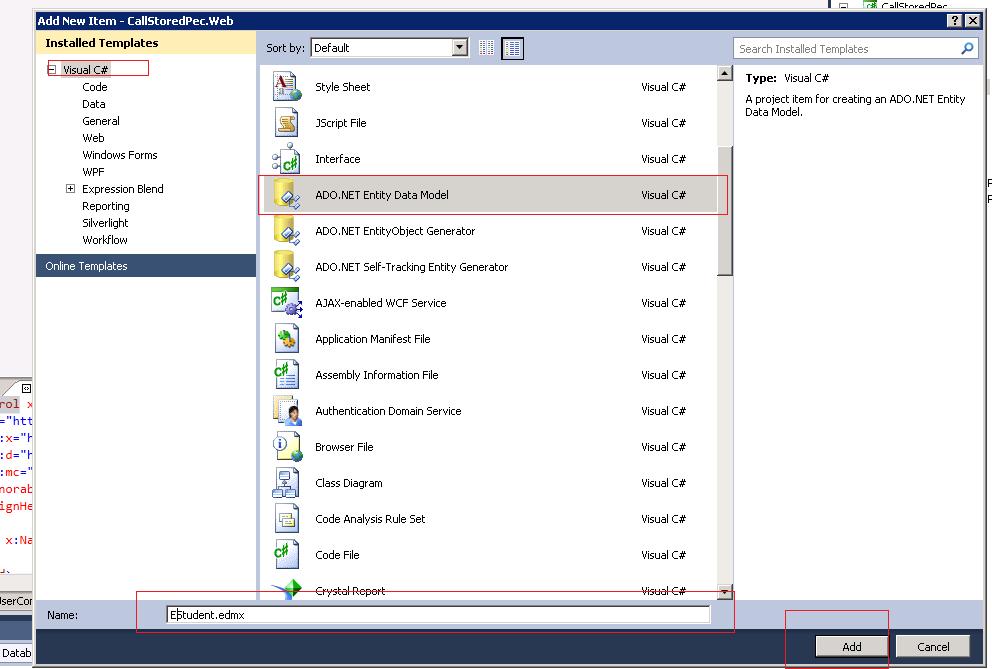
WCF DataService Calling Stored Procedure ,CRUD in Silverlight
Friday, May 28, 2010

Posted by Usama Wahab Khan at 12:07 AM 0 comments
Labels: Databinding, Silverlight, wcf
simple example ado.net
Monday, May 24, 2010
ADO.Net
---------------------SqlQuerys------------------------------------------
Select * from TableName or ViewName
Insert Into TableName
(colname,colname)
values
('calvalue','colvalue')
UPdate TableName
set ColumnName='Value', ColumnName='Value'
---------------------------------------ConnectionString---------
Data Source=myServerAddress;Initial Catalog=myDataBase;User
Id=myUsername;Password=myPassword;
SqlConnection cn = new SqlConnection("Data
Source=-SERVER\\express;Initial Catalog=GIS;Integrated Security=True");;
----------------------------------Disconnected
Ado.net-------------------------------------
xxxConnection cn = new xxxConnection();
xxxDataAdapter da = new xxxDataAdapter("Select * from",cn);
DataSet ds = new DataSet();
da.Fill(ds);
---------------- Data will be loaded in Dataset(ds) NOw you can change data--
---------------------After Change Data in Ds to save data In database -----
ds.AcceptChanges();
da.Update(ds);
----------------------------------connected
Ado.net-------------------------------------
xxxConnection cn = new xxxConnection();
xxxCommand cmd = new xxxCommand("SqlQuery",cn);
try
{
//Select Command
SqlCommand cmd = new SqlCommand("Select * From app_users", cn);
//Check Connection State and Open it
if (cn.State != System.Data.ConnectionState.Open) { cn.Open(); }
//Executereader to fatch data;
SqlDataReader reader = cmd.ExecuteReader();
//Read Data Till Last Record from While
while (reader.Read())
{
Console.WriteLine(reader[1].ToString());
}
}
catch (Exception ex)
{
Console.WriteLine(ex.Message);
}
finally
{
//last close connectionString
cn.Close();
}
Console.ReadLine();
Posted by Usama Wahab Khan at 12:53 PM 2 comments
Labels: Asp.net, Databinding
Silverlight Load Large Data
Wednesday, May 19, 2010

Increase web service timeout Received Large Data from wcf
and add this in you silverlight application (ServiceReferences.ClientConfig)
Posted by Usama Wahab Khan at 11:18 PM 0 comments
Labels: Silverlight